
Let’s say you’re buying a used car and the owner says it “runs like a dream”, “practically drives itself”, and “no maintenance needed”. We all know better than to just take the owner’s word for it and start signing papers— no one wants a lemon! Instead, we pause to ask the right questions: Do you have the maintenance history for the car? Has it been in any accidents? Does it have a clean title?
In most industries it’s easy to figure out what’s an exaggerated claim. However, in accessibility, many organizations are still learning the landscape, which makes it harder to recognize similar overpromises like:
- “Guaranteed 100% compliance”
- “Fully accessible forever”
- “One-click accessibility solution”
On the surface, those claims sound great, but I want to deconstruct these claims and then give you better questions to ask so that you can make informed decisions.
Claims that make me cringe
1. “Guaranteed 100% accessible”
100% accessible for whom? The current Web Content Accessibility Guidelines (WCAG) standards are constantly being iterated on, and as a specialist, I know that accessibility is nuanced. Something that is accessible for one set of users, may provide complications for another. Even AAA success criteria are goals to be strived for within our industry, mobile accessibility guidelines are being written. To make “100% accessible” claims is not grounded. I also see companies marketing they can certify your website is compliant with a badge or certification. Spoiler alert, there is no official industry-recognized “badge” or “certification” of compliance, and just beware that users may still find issues.
Let me be clear, I think we should all strive for being as accessible as possible. AND, if you’ve invested in a vendor and they have a badge of accessibility, put that on your site to show your commitment! Showing commitment to accessibility is to be celebrated, we can also do that with transparent Accessibility Conformance Reports (ACRs) and having clear accessibility statements. My gripe, yet again, is when organizations fully trust these claims from vendors and are unaware that accessibility is about continuous learning and improvements.
2. “Fully compliant forever”
Accessibility is a snapshot. Something that is compliant today, stays accessible as long as you’re not changing your content– and we know that’s not the case. If you’re adding content, making updates, refining or redeveloping, you’re going to need to sustain and continually monitor your accessibility to ensure you’ve not introduced new risks into the equation.
Education is critical. The more team members understand the role they play in accessibility, the more independent your organization becomes. If your team never learns how to create accessible content, you risk inadvertently introducing barriers, and you’ll find yourselves in a long-term dependent relationship with your vendors…
3. “One-click accessibility solution”
Nothing makes me groan more than seeing that little symbol on websites, which leads me to the last misconception— that accessibility is a switch you can flip. Accessibility is a combination of design, development, content, testing, and lived user experience.
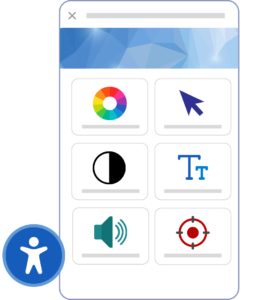
I think accessibility overlays do have some benefits! Overlays help make accommodations more readily available and pronounced. It’s much easier for me to show my parents how to use a widget to customize and adjust settings than for my low-tech parents to purchase, install, and/or learn assistive technologies. I also think having the accessibility overlays allow users to have awareness that they can customize and adjust settings to help make digital experiences more comfortable.
The problem I see with accessibility plug-ins is that well-intentioned and mission-minded organizations think an overlay is enough on its own. So the problem, once again, comes back to education.
- Overlays can actually interfere with users’ assistive technologies and ironically, become barriers to users accessing information.
- Overlays do not equal compliance or usability! Therefore, there overlays do not protect you from ADA legal complaints.
- One of the largest accessibility overlay companies was fined by the FTC for their deceptive claims that their AI product could make websites accessible.
- In fact, UsableNet’s 2025 Year-End Digital Accessibility Lawsuit Report recorded over 1,400 businesses were sued despite having accessibility widgets on their websites.
“Widgets typically do not resolve underlying code-level accessibility issues and may interfere with assistive technologies such as screen readers. As a result, they offer little protection against legal claims and are frequently cited as insufficient solutions.”
– UsableNet’s 2025 Year-End Digital Accessibility Lawsuit Report
Great Questions to Ask
So now that I’ve pulled back the veil on the hype (and maybe simultaneously dampened your parade), how do we proceed? The message here is not to mistrust all vendors and their marketing lingo embellishments. The truth is lots of accessibility companies are making huge advancements and their practical tools and solutions might be the best solution for your team; the takeaway is gathering information to make an informed decision. Some great questions to ask these partners are:
- What exactly is included in “compliance” here?
- How is accessibility being verified? Is it just with automated tools and scans, or is testing also being conducted with people with disabilities?
- What happens when my content and features change? How frequently is my content being monitored? Weekly? Monthly? Semi-annually?
- What are the limitations of your service or product?
Accessibility should be approached the same way as when you’re buying a used car. Approach accessibility companies not with cynicism, but with good questions about documentation, records, and the best approach to maintenance over time.
Leave a Reply